


AntiVirus Clean Master-Cleaner
3.8119.00 Reviews
App Specs
- Version
- 1.3.2.0
- Updated On
- License
- Free
- Downloads
- 1,000,000+
- Developer
- Blooming Techno
- Categories
- Tools
- Platform
- Android
Screenshots

 Analysis by AppCompare
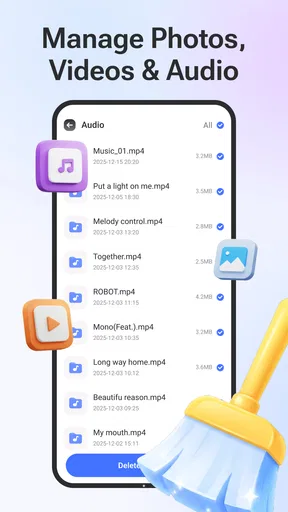
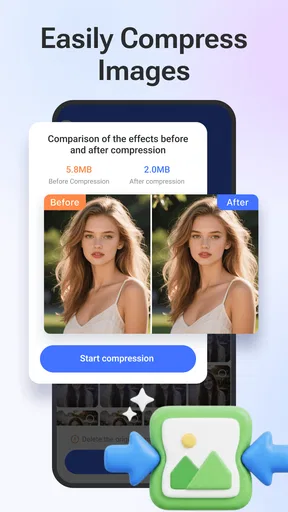
I’d treat AntiVirus Clean Master-Cleaner as a practical maintenance stop, not as a magic switch that can make every phone faster or replace careful security habits. Its appeal is the combination of file cleanup, file management, and virus scanning in one free tools app from Blooming Techno. That can suit someone who wants a simple place to check several routine tasks, especially if they rarely open Android’s built-in storage controls.
A repeatable routine beats constant cleaning
My preferred way to use a cleaner is to begin with a specific reason: storage is getting tight, I want to review apps I no longer use, or I need to run a security scan after installing something unfamiliar. That keeps the process focused. I would not make a habit of tapping every cleanup or boost option simply because it is available; a maintenance tool is most useful when it helps solve a real problem.
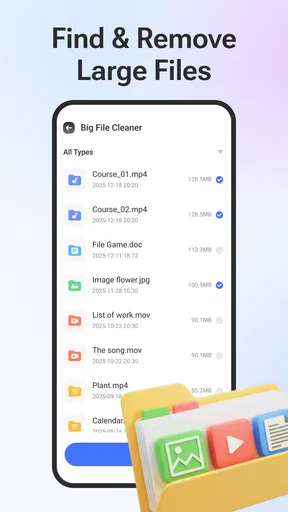
For a realistic example, imagine taking a lot of photos and downloading documents during a busy week. Before a trip, I might open the app, check what files are taking up space, and review possible junk before removing anything. Then I could use the file-management tools to find an old download or an app I no longer need. The important step is to inspect suggested items rather than treating every item a cleaner flags as disposable.
Check the choices before you run a task
Cleaning involves trade-offs. Temporary files can often be removed without much thought, but downloaded documents, saved media, and app data may matter to you. When a tool presents items for removal, I recommend reading the labels and checking the selection carefully. If you are unsure what a category contains, leaving it alone is safer than trying to reclaim a little space at the cost of losing something useful.
The same cautious approach applies to security scans. A scan is a helpful check, but it does not make every link, download, or public network safe. I would keep Android updated, install apps from sources I trust, and pause before granting sensitive access. If the app reports a concern, read the result and decide what to do rather than assuming every warning has the same importance.
Where it fits alongside Android’s own tools
Android already includes ways to inspect storage and manage installed apps, so this app is not essential for everyone. The built-in options may be the better choice if you only need to remove a known download or uninstall one app. Their main advantage is that they are already part of the phone’s settings, with no separate maintenance routine to learn.
On the other hand, a dedicated utility can be more convenient when you want cleanup, file management, and a scan collected in one place. I see that convenience as the strongest reason to try this particular app—not as proof that it can outperform every phone’s built-in controls or a specialist security product. If your priority is in-depth security features, compare dedicated antivirus options; if your priority is straightforward storage housekeeping, Android’s own tools may be enough.
Worth Reading Before You Choose

Switching to Android Auto Means Rethinking Your Driving Routine

Google Calendar Makes a Crowded Week Easier to Manage

Baby Panda World Brings Quick Play to Modern Phones, but Its Game Library Feels Busy

ESPN’s Live Game View Makes Following Close Games Easier

QuizzLand Review: A Good Fit for Short Trivia Breaks, Not Every Player

Basketball Stars: Multiplayer Is Fast, but Can It Recover When Matches Go Wrong?
Who is likely to get the most from it?
I’d consider it for someone who wants a guided, all-in-one utility and is comfortable checking what a cleanup action will remove. It may also help a less confident Android user who prefers a single app to opening several settings screens. It is less compelling for someone whose phone has plenty of free space, whose existing security setup already meets their needs, or who prefers to keep maintenance tools to a minimum.
The app is free, has an Everyone age rating, and is listed for devices running Android 7.0 or later. Its current version is 1.2.0.0. It has passed one million installs, with an average rating of 3.5 from 886 ratings. I’d read that rating as a reason to set realistic expectations: people may value the convenient bundle differently, so I would try the core tasks that matter to me rather than assume every tool will suit every phone.
One useful habit is to make a quick review part of a larger routine instead of running the app repeatedly throughout the day. For example, after clearing a batch of downloads, I would check the remaining files and then stop. That gives me a clear before-and-after task without encouraging unnecessary cleaning. It also makes it easier to notice whether the action actually helped, instead of relying on a general feeling that the phone should now be faster.
There is also a difference between organizing storage and improving performance. Removing files can make more room, but it does not guarantee that apps will launch faster or that battery life will change. I would judge the cleaner by whether it helps me find and remove things I genuinely no longer need. For broader slowdowns, I’d first look at available storage, recent app changes, and the phone’s own settings rather than repeatedly clearing files.
Blooming Techno’s app is a sensible option when convenience matters more than having a separate specialist for every job. The key is to use it deliberately: scan when you have a reason, check cleanup suggestions, and keep Android’s built-in controls in mind as a straightforward alternative. That approach makes the app easier to evaluate and reduces the chance of treating a maintenance tool as a substitute for good device habits.
Hey there! Today, I'm diving into the world of mobile security with a closer look at AntiVirus Clean Master-Cleaner. If you're anything like me, your phone is your lifeline, and keeping it running smoothly is super important. So, let’s check out what this app has to offer and see if it lives up to the hype!
First Impressions Matter
When you first open AntiVirus Clean Master-Cleaner, the interface is pretty slick. The design is clean and intuitive, which makes it easy to navigate. I appreciate an app that doesn’t clutter the screen with unnecessary options, and this one keeps things straightforward. You’re greeted with a dashboard that gives you a quick overview of your phone’s status. Handy, right?
Features That Stand Out
Now, let's talk features because this app is packed with them. The real-time antivirus protection is definitely the star of the show. It scans for malware, spyware, and any pesky viruses lurking around. And the best part? It updates daily to make sure you're covered against the latest threats.
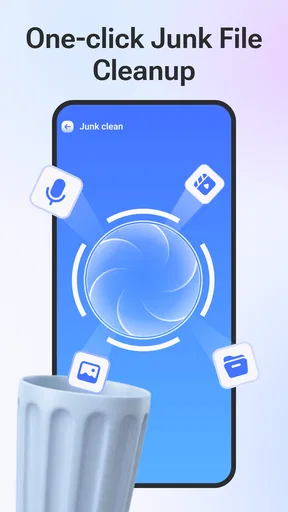
Another cool feature is the junk cleaner. We all know how quickly those unnecessary files pile up, and this tool does a solid job of cleaning them out. After running the cleaner, my phone felt noticeably faster. It’s like giving your device a much-needed detox!
There’s also a phone booster that frees up RAM. If your phone tends to slow down because of too many apps running in the background, this feature is your new best friend. It’s super satisfying to see your phone’s performance get a boost in real-time.
The Extra Goodies
Beyond the basics, AntiVirus Clean Master-Cleaner has some neat extras. The App Manager lets you easily uninstall apps you no longer need, and the Battery Saver helps extend your phone’s battery life by managing power-hungry apps. Plus, there’s a Wi-Fi Security feature that checks for any risks in your current network. It’s like having a personal security guard for your phone!
Handling and Performance
In terms of performance, the app runs smoothly without hogging resources. I’ve tried some security apps that slow down my phone, but this one doesn’t seem to have that problem. The scans are quick, and the app doesn’t crash or freeze—always a bonus.
Additionally, the app doesn’t bombard you with ads, which is a refreshing change. There are a few, but they’re not intrusive, so you can focus on keeping your phone in tip-top shape without distractions.
Is It Worth It?
So, is AntiVirus Clean Master-Cleaner worth downloading? If you’re looking for an app that offers comprehensive protection without being complicated, then absolutely. It’s user-friendly, effective, and doesn’t bog down your device. Plus, having that extra layer of security gives a nice peace of mind.
With the added cleaning and performance-boosting tools, it’s a great all-in-one solution for keeping your phone at its best. Whether you’re a tech newbie or a seasoned pro, this app has something to offer.
If you’re ready to take your phone’s security to the next level, you might want to give this app a shot. It’s definitely earned a spot on my list of must-haves!
Pros
- Effective malware detection and removal.
- User-friendly interface with simple navigation.
- Real-time protection against new threats.
- Lightweight and doesn't slow down the device.
- Includes useful tools like junk cleaner.
Cons
- Contains in-app advertisements.
- Some features are locked behind a paywall.
- May require frequent updates for effectiveness.
- Occasional false positives in scans.
- Limited customer support options.
FAQs for AntiVirus Clean Master-Cleaner
What features does AntiVirus Clean Master-Cleaner offer?
AntiVirus Clean Master-Cleaner provides a comprehensive suite of tools including real-time virus scanning, junk file cleaning, and device optimization. It also features a privacy protection module and a battery saver to enhance device performance. The app regularly updates its virus database to safeguard against the latest threats.
Is AntiVirus Clean Master-Cleaner free to use?
AntiVirus Clean Master-Cleaner is free to download and offers a range of basic features at no cost. However, for advanced features such as enhanced privacy protection and deep cleaning tools, there is a premium version available via in-app purchases or a subscription model.
Does AntiVirus Clean Master-Cleaner affect device performance?
AntiVirus Clean Master-Cleaner is designed to optimize device performance by cleaning junk files and managing resources efficiently. While running scans, it may temporarily use additional resources, but it aims to enhance overall speed and battery life once the cleaning processes are completed.
How often should I run scans with AntiVirus Clean Master-Cleaner?
For optimal protection, it is recommended to perform a full scan at least once a week. The app also offers real-time scanning that automatically checks new apps and files for threats, ensuring continuous protection without manual intervention.
How does AntiVirus Clean Master-Cleaner protect my privacy?
AntiVirus Clean Master-Cleaner includes a privacy protection module that identifies and removes potential threats that could compromise your personal data. It also provides tools to manage app permissions and secure sensitive information, ensuring that your privacy is maintained across all applications.


